Flower classification workflow on Kaggle
Contents
- Contents
- Introduction
- The dataset
- Initial idea
- Choosing a model
- Transfer learning
- Data augmentation
- Conclusion
Introduction
While looking for interesting projects to train on, I have recently decided to give Kaggle a go. Kaggle is an online community for data science and machine learning, allowing you to publish code, datasets, interact with other members, and take part in competitions. They offer you to run your Python notebook remotely on their servers with GPU and TPU acceleration, making it interesting for people like me without dedicated equipment at home.
I joined in on the “Petals to the Metal: Flower Classification on TPU” introduction competition in order to test out the platform and explore the basics of TPU acceleration. The goal is to classify images of flowers into a hundred or so flower categories.
The dataset is fairly small (we’ll get back to that later) and split in 2 for training and validation. There is no “secret” test dataset to rank submissions once the competition closes since it is a permanently ongoing training competition.
In this post I will be discussing my workflow and thought process.
The dataset
Before anything else, it is always a good idea to take a look at the resources available, namely the dataset.
I tried working on some data visualization code, but quickly switched to looking at what the community had already made available. The strength of Kaggle is to allow for open collaboration and mutual learning, especially on training oriented competitions.
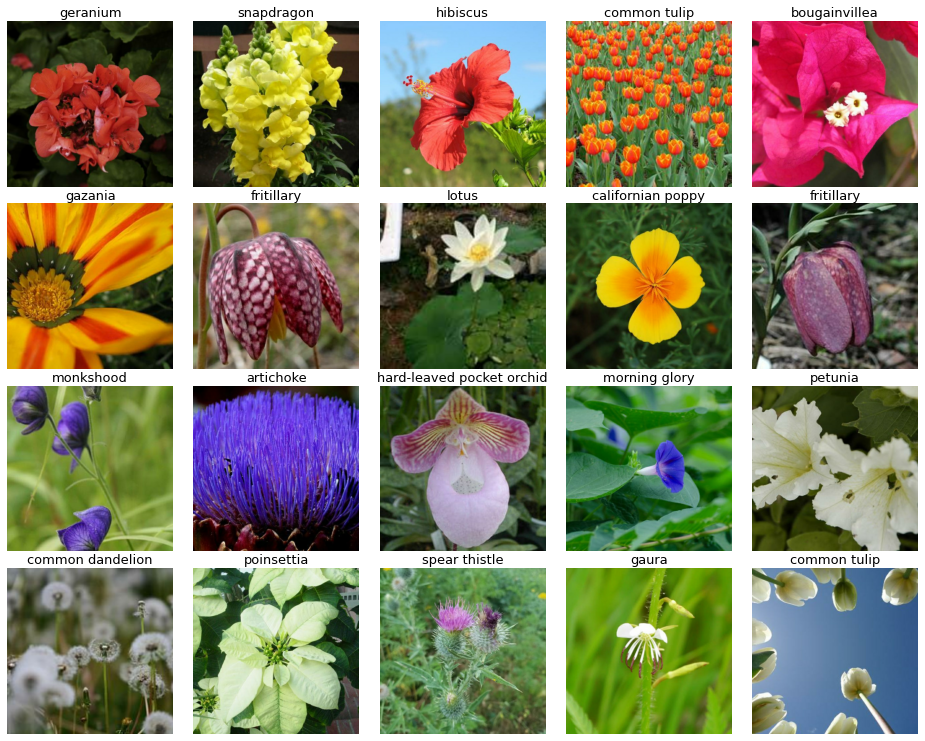
I decided to use this code made available by user DimitreOliveira with beautifully made data displays.
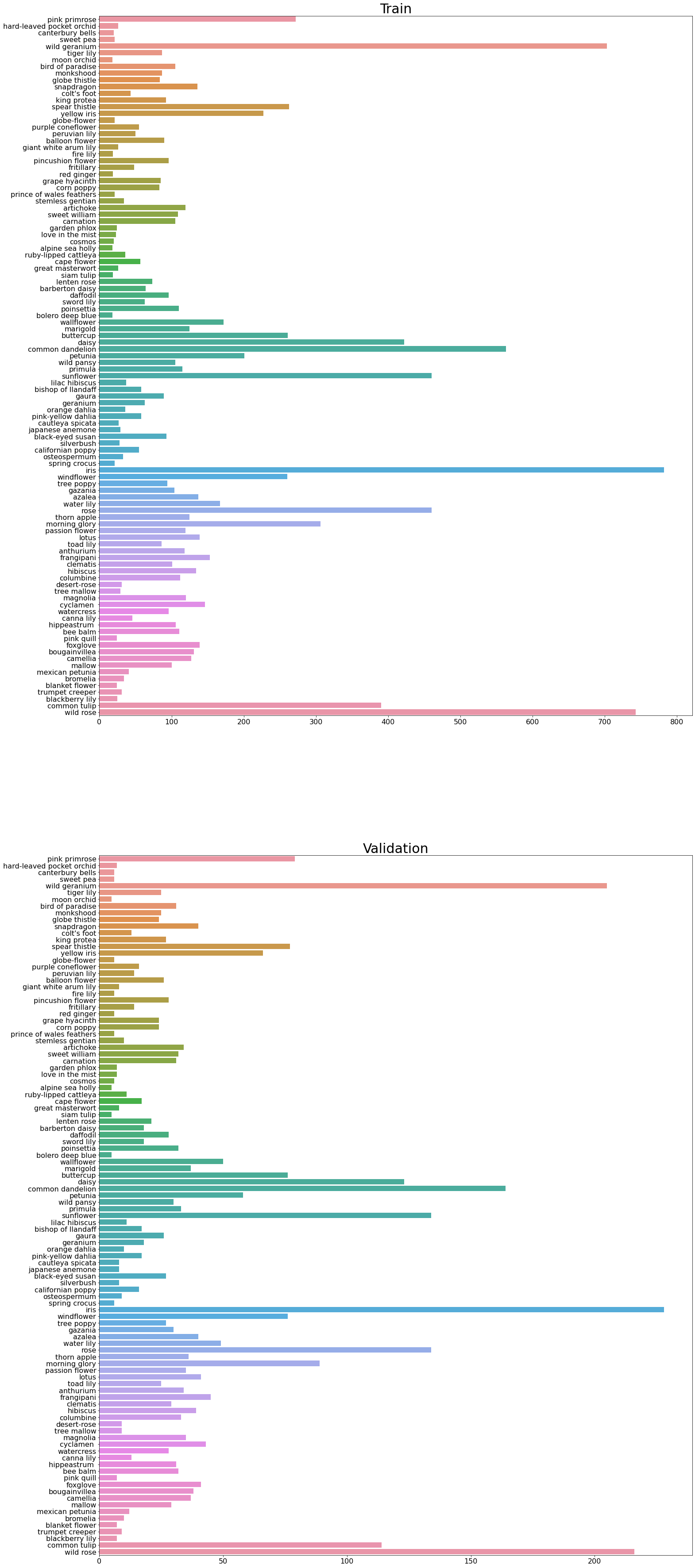
The first interesting property to notice is the very unbalanced label distribution. Most classes barely reach a hundred images in the training set, while a handful classes only pass the 500 and even 800 mark. This means that during training, the model will be able to more easily learn and generalize about these handful of classes while struggling with the rest.
Another property to notice is the generally small number of images per class. In machine learning and especially deep learning, having fewer than thousands of data points is usually considered little data. In practice, this makes it difficult to train a model from scratch using this dataset.
Initial idea
Given the small size of the dataset and the data science oriented approach, I decided against creating my own model from scratch. Instead, I used a technique called transfer learning.
Transfer learning consists of reusing a model pre-trained on an analogous problem (here, general image classification), keeping the weights, and retraining only the top layer doing the actual classification on our dataset.
By keeping the weights, we keep the robust set of features learned by the model when trained on large datasets. We can then specialize the model to work on our specific application (here, flower classification) by training the new top layer.
The advantages of transfer learning are multiple:
- It speeds up the development process by reusing proven models
- It allows complex models to work on small datasets since the bulk of the training has already been done on large datasets
Choosing a model
Keras comes with a lot of built-in models pre-trained on the ImageNet image classification dataset.
Since a dozen models is somewhat manageable, I decided to try them all out (or at least one model per family). I imported the models one by one, freezing the weights using trainable = False property, and tested out their accuracy on the validation dataset against various epochs.
with strategy.scope():
    pretrained_model = tf.keras.applications.DenseNet201(
        weights = 'imagenet',
        include_top = False,
        input_shape = IMAGE_SIZE)
    pretrained_model.trainable = False # use transfer learning

    model = tf.keras.Sequential([
        pretrained_model,
        tf.keras.layers.GlobalAveragePooling2D(),
        tf.keras.layers.Dense(104, activation = 'softmax')
    ])
I noted down the epoch where models had converged and their accuracy as follows:
| Model | Epochs | Validation accuracy |
|---|---|---|
| DenseNet121 | 3 | 0.73 |
| DenseNet169 | 3 | 0.78 |
| DenseNet201 | 3 | 0.78 |
| Inception v3 | 10 | 0.71 |
| InceptionResNet v2 | 2 | 0.62 |
| ResNet101 v2 | 2 | 0.7 |
| ResNet152 v2 | 2 | 0.68 |
| VGG19 | 40 | 0.6 |
| Xception | 3 | 0.68 |
Given its best result (tied with DenseNet169), I decided to go with DenseNet201.
Transfer learning
As previously explained, the transfer learning workflow is to:
- Import a model along with its pre-trained weights
- Discard the top layer (end layer making the classification)
- Freeze the weights of the model
- Add a new top layer adapted to our dataset
- Train that top layer
This is all done in the bit of code posted above:
We import the model with pretrained_model = tf.keras.applications.DenseNet201 and the weights with weights = 'imagenet', then discard the top layer with include_top = False. We then freeze the weight by setting pretrained_model.trainable = False, and finally add a new top layer by creating a tf.keras.Sequential model composed of pretrained_model and tf.keras.layers.Dense.
All that is left is to compile and train the model.
Once the model and been trained to convergence, transfer learning has some optional steps - the fine-tuning - that can lead to increased accuracy:
- Unfreeze the pre-trained model
- Re-train the whole model with a low learning rate
This is done by a simple bit of code:
for layer in model.layers:
    layer.trainable = True # Unfreeze layers
Again, don’t forget to re-compile the model, and train it for a few extra epochs with a much reduced learning rate. I even went for a fancy scheduled learning rate with a linear increase and an exponential decrease to avoid strong gradients at the beginning of the fine-tuning, and slowly limit the learning of the last few epochs.
Data augmentation
Now, this is all nice, but how can we unlock some more extra accuracy? By looking at the dataset again!
Data augmentation is another very common technique to create models more robust to noise, and better at generalizing, hence better at classifying new images.
To identify the type of data augmentation that are relevant to the problem, we need to identify the problems we are likely to encounter on the data we want to classify. This means looking at our training and validation datasets again.
Here are a few images that illustrate the major issues of our dataset.
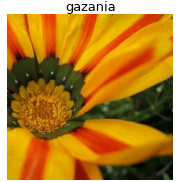
The first one is that a lot of pictures are cropped. They don’t show the flowers in their entirety, meaning that our model may be unable to access some important features to classify them! One way to compensate for that is to artificially crop our data randomly during training.

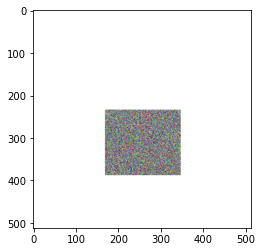
Another issue is that some pictures have the flowers to classify not as the subject, but merely as a background, partially occluded by other objects. To compensate for this, one can use random erasing, a technique that randomly adds rectangles filled with white noise on top of our images, blocking part of their content, as illustrated in the image below.
Finally, to train our model to be more robust against flowers rotated in various directions or upside-down, I added some random flips (left-right and upside-down) and 90 degrees rotations to our array of data augmentations.
Conclusion
In a nutshell, our workflow for this project has been the following:
- Visualizing and understanding the dataset
- Using transfer learning to quickly adapt a model
- Adding data augmentation to improve the results
- Further training our model with the fine-tuning post transfer learning
- Fine-tuning all the hyper-parameters to unlock the best results
All of this combined and tuned a little allowed me to reach an accuracy over 0.93 on the validation dataset. This has been a nice introduction to Kaggle, and I would recommend it to anyone interested in learning about data science, machine learning, and image classification.
Since I wanted this article to describe more of a general image classification workflow, I haven’t touched the subject of TPU acceleration, which this competition also introduces. I am not very familiar with it yet, but it might become the topic of a future project.